Prices checked Nov 3, 2026
Starlink installation cost: DIY parts vs professional install
Every Starlink price on this page is from Starlink’s own shop and order list, dated to the day it was read. What a DIY install costs by mount, what each professional option is, and the fees nobody mentions until the day.
$100First Starlink? The pre-order checklist and our referral linkDIY: $32–$282 in Starlink parts, depending on the mount. Professional: listed at no charge for the Max and 200 Mbps Residential tiers, with other options at $0, $99, $199 and $349 on Starlink’s order list.
Prices as read on Nov 3, 2026. The cheapest install is the dish on its kickstand on open ground; the dearest DIY route is the no-drill ridge mount. Your address and plan decide which professional option appears, and starlink.com shows it during the order. Extra installer fees for travel, long cables or trenching exist, but Starlink doesn’t publish the amounts.
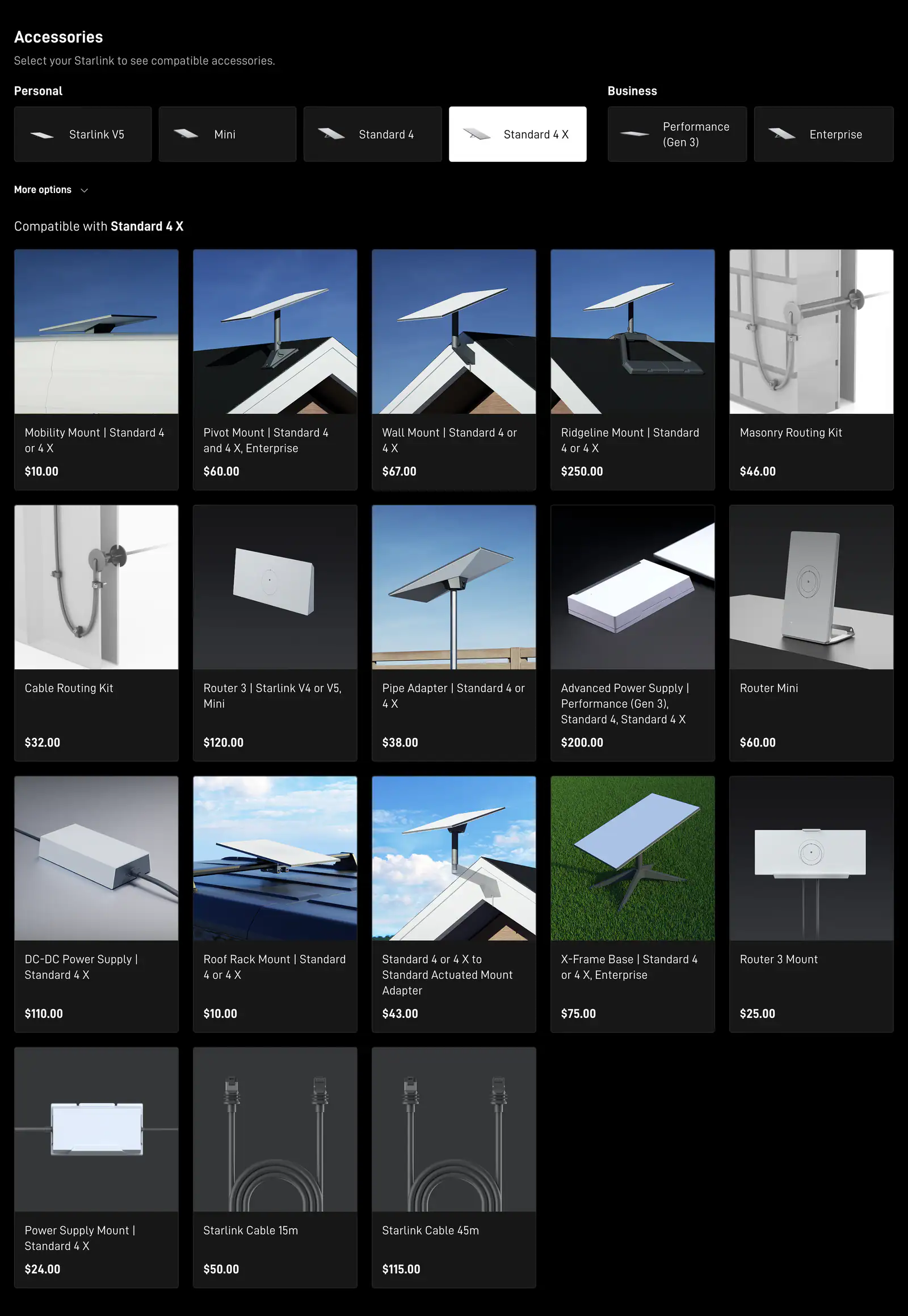
DIY installation cost by mount
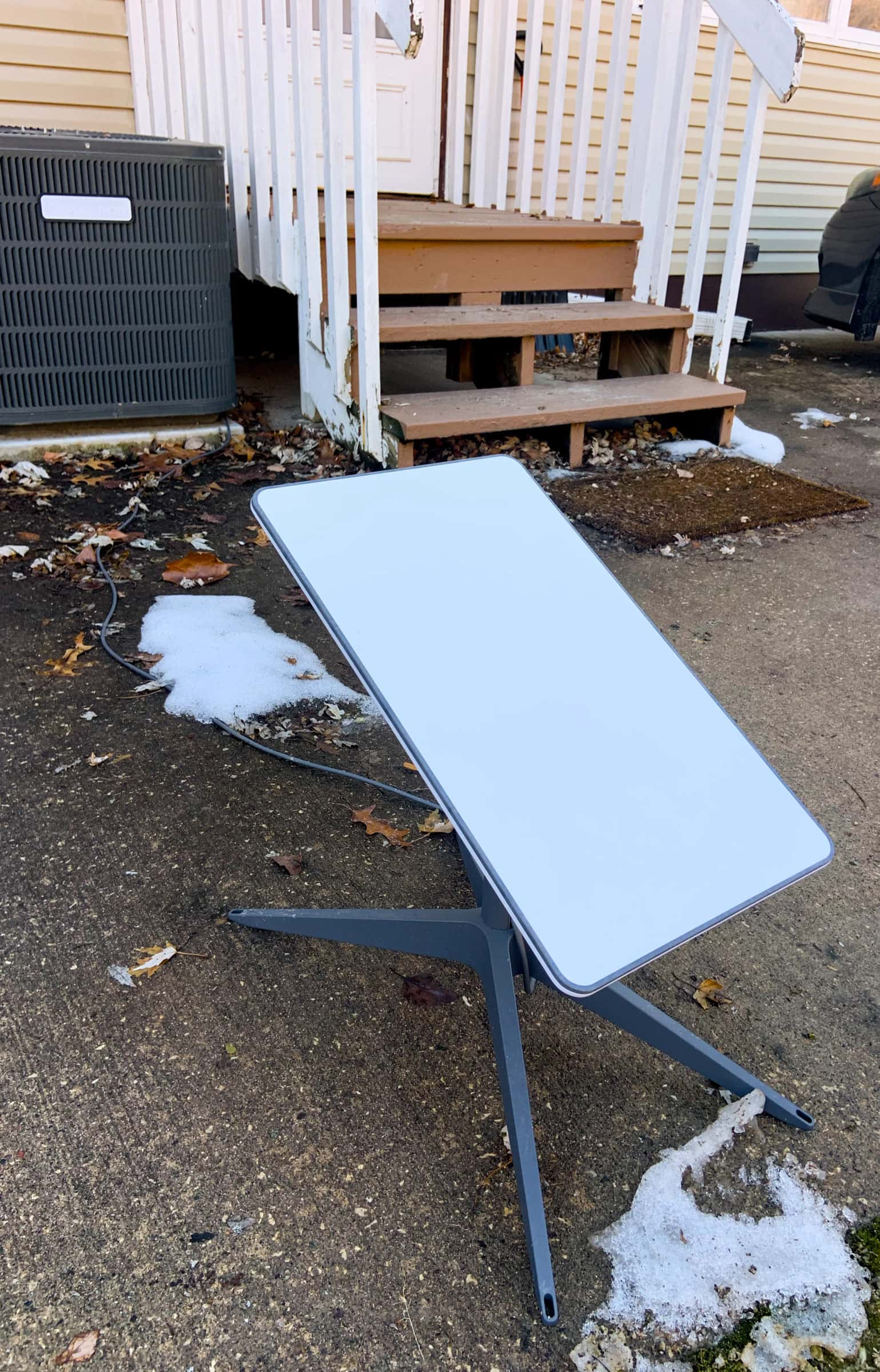
The mount in the box, per Starlink: V5: kickstand and pipe adapter; Standard 4 X: kickstand. Starlink says the kit’s detachable kickstand can be used for quick setup or a permanent install. For anything higher you buy a mount. Every route also needs a way through the wall: Starlink’s Cable Routing Kit is $32 ($46 for masonry). Starlink Shop prices include shipping and handling.
| Route | Starlink parts | Total |
|---|---|---|
| Ground, on the kickstand Kickstand is in the box | Cable Routing Kit $32 | $32 |
| Pole, short cable run Plus the pole and concrete | Pipe Adapter $38 + Cable Routing Kit $32 | $70 |
| V5 dish on fascia or roof V5 kit has its own pipe adapter | V5 Home Mount $40 + Cable Routing Kit $32 | $72 |
| Shingle roof, Pivot Mount Standard 4 / 4 X | Pivot Mount $60 + Cable Routing Kit $32 | $92 |
| Wall, eave or fascia Standard 4 / 4 X | Wall Mount $67 + Cable Routing Kit $32 | $99 |
| Ground on an X-Frame Base Sturdier ground stand | X-Frame Base $75 + Cable Routing Kit $32 | $107 |
| Wall mount on brick Masonry, block or hard stucco | Wall Mount $67 + Masonry Routing Kit $46 | $113 |
| Pole far from the house Plus the pole and concrete | Pipe Adapter $38 + Cable Routing Kit $32 + Longer cable $115 | $185 |
| No-drill Ridgeline Mount Gable roofs only | Ridgeline Mount $250 + Cable Routing Kit $32 | $282 |
Which mount fits your roof or wall is its own question: see Starlink mounts compared. The “longer cable” on the far-pole route is Starlink’s 147 ft cable; the box cable is 15 m (49.2 ft). Will your cable reach?
Professional installation options
Starlink shows professional installation in two places, and they don’t say the same thing:
- The home page: advertises professional home installation at no charge for Residential customers on the Max or 200 Mbps tier.
- The order list (read on Nov 3, 2026 without an address) shows these installation options:
| Price on the order list | What it is |
|---|---|
| $0 | Kit rental with professional installation |
| $99 | Installation add-on on a rental order |
| $199 | Kit rental with professional installation (a second price level on the list) |
| $349 | Standard 4 X bought outright with professional installation (the kit is included) |
Our reading: the $349 bundle costs the same as buying the kit alone ($349 on the same list), so on that option the installation adds nothing to the kit price. Starlink doesn’t say which option a given address sees. To find out: Starlink says the price for a house shows after you enter its address at starlink.com and hit “Order Now”.
Every option is the same standard job: Starlink says a standard install includes a site assessment, a standard mount, basic sealed penetration, the cable to the nearest entry point, router setup and testing, and takes around 90 minutes. A standard install includes a standard mount and cable; other accessories cost extra. What happens on the day.
DIY vs professional, side by side
| Do it yourself | Starlink professional install | |
|---|---|---|
| Starlink parts | $32–$282 by route (above) | Standard mount and cable included |
| Install price | Your time | Free on some plans; $0, $99, $199 and $349 options on the order list |
| Pole mounts | Yes | Not offered |
| Extra fees | Tools and hardware you don’t own | Possible for travel, home type, long cables or trenching (amounts not published) |
| Time | Minutes (ground) to a weekend (pole), our estimate | About 90 minutes (Starlink’s figure) |
| Who fixes a leak | You | The installer, under the 30-day install warranty Starlink’s order page lists |
Three houses, priced out
Our worked examples, using the Starlink Shop prices above (read Nov 3, 2026). Your own total depends on your sky, your roof and your walls.
One-story ranch, open backyard
Central Texas, no tall trees
The app scan is clear at ground level, so the dish stays on its kickstand in the yard and the cable goes through a sided wall.
$32 in Starlink parts (Cable Routing Kit). A pro visit would add little here.
Two-story colonial, maples out front
Pennsylvania, shingle roof
Only the roof clears the trees. Pivot Mount near the peak, and the cable to a central router runs past the box cable’s length (see the cable budget).
$207 in parts (Pivot Mount + routing kit + longer cable), plus a steep, high roof: a strong case for a pro.
Farmhouse ringed by tall trees
Michigan, clear sky only out back
The only open sky is 60 ft behind the house, so the dish goes on a pole. Starlink’s installers can’t do poles.
$185 in parts (Pipe Adapter + routing kit + longer cable), plus the pole, concrete and a call to 811.
Fees and costs people miss
- Installer extras. Starlink says professional installs can add fees for travel, home type, long cables or trenching. It doesn’t publish the amounts, so ask before the visit.
- Remote Alaska. Starlink says certain areas in Alaska are outside the installation service areas; additional fees may apply.
- A local installer. For paid third-party installs you contract with the installer directly, and Starlink takes no responsibility for their pricing, work or damage. And Starlink refunds only installations bought on starlink.com, so a local fee won’t come back through Starlink. Starlink doesn’t publish local prices, and we couldn’t verify a current one, so we don’t print a number.
- Billing doesn’t wait for the install. Starlink says your first bill is dated by the earliest of three events: power-on and connection, day 7 after delivery, or day 30 after shipping, whatever day the installer comes.
- Shipping time for parts. The Cable Routing Kit listing says US orders ship in 4–6 weeks. Order parts with the kit, or buy sealant, grommets and clips locally.
- Hardware-store items. For a pole: the pipe itself, concrete and a post-hole digger. For any route: exterior sealant, a long drill bit, cable clips and a ladder tall enough to reach safely.
Digging for a pole?
Call 811 a few business days before you dig. It costs nothing and it’s required in every state. Hitting a buried line costs far more than any installer.
Monthly plan prices are a separate decision: Starlink says what it sells to a Residential customer, and for how much, changes with location and account type.
Is paying for installation worth it?
Save the money if…
- the app scan shows open sky on the ground or from a wall you can reach from a ladder
- the cable can come in through siding, not brick or stucco
- you want a pole anyway (Starlink’s installers can’t do poles)
Pay for it if…
- the only clear spot is a steep or two-story roof
- the cable has to go through masonry, stucco or a finished basement
- a ladder makes you nervous. A fall costs far more than the fee
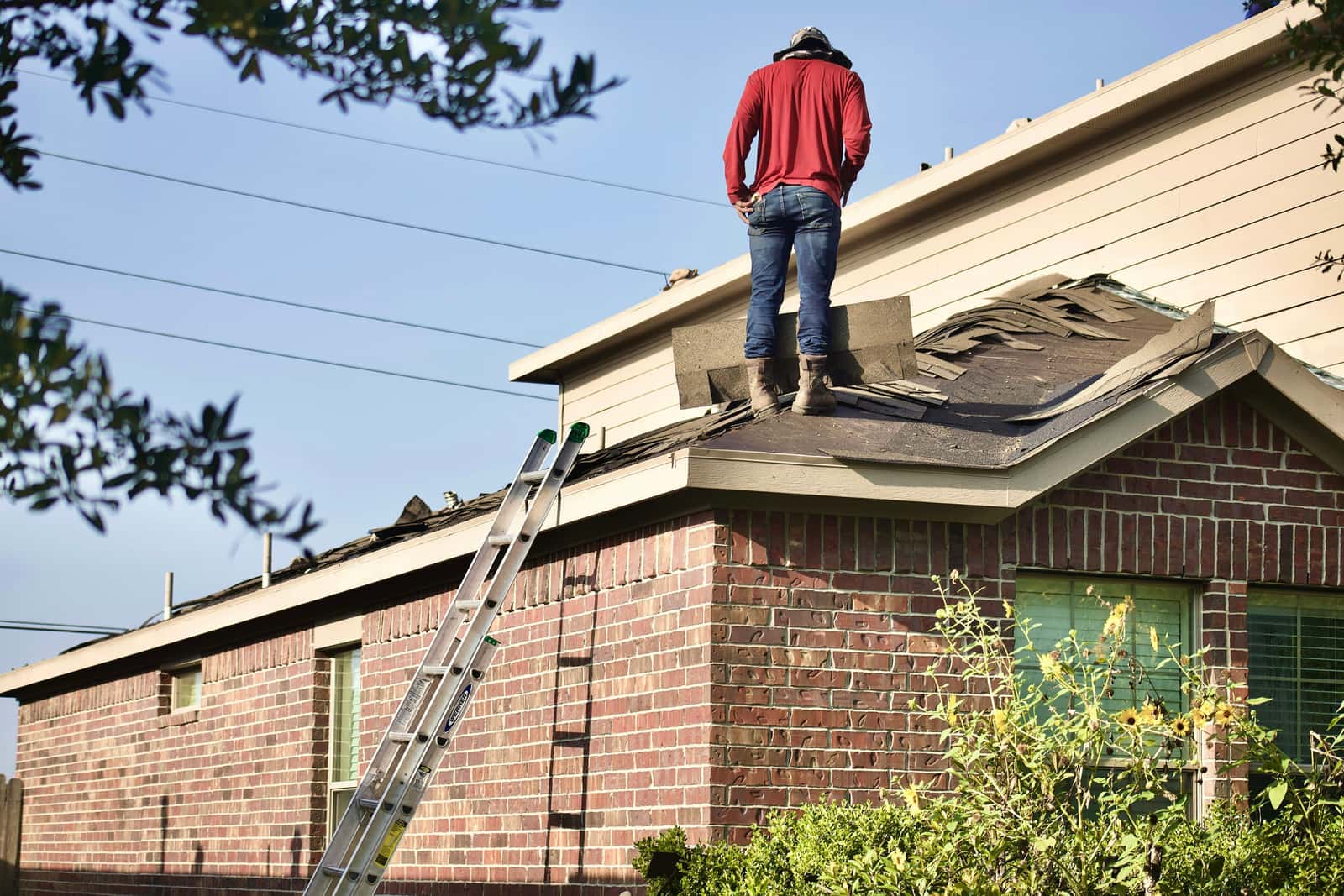
Starlink says all mounts are designed for self-install; ask a roofing or installation professional if unsure. Our DIY install guide walks through the whole job.
Don’t order yet if…
- you haven’t checked which installation option your address gets: it shows on starlink.com when you order
- the only clear spot needs a pole and you haven’t priced the pole, concrete and cable run yet
- your HOA or landlord hasn’t agreed where the dish can go
- the house needs a connection for a few months or one visit, not year-round
Questions this page answers
How much does Starlink installation cost?
Doing it yourself, the Starlink parts run $32 to $282 depending on the mount (Starlink Shop prices on Nov 3, 2026, shipping included). Starlink’s front page advertises professional installation at no charge for Residential customers on the Max or 200 Mbps tier; its order list also showed options at $0, $99, $199 and $349. The option for your address shows on starlink.com when you order.
Is Starlink installation free?
On some plans. Starlink’s front page advertises professional installation at no charge for Residential customers on the Max or 200 Mbps tier. Other plans and addresses see paid options. Doing it yourself costs only the parts, and the kickstand in the box can be a permanent ground mount.
What does the $99 Starlink installation add-on cover?
It’s the installation button on a rental order. A standard professional install, Starlink says, covers a site assessment, a standard mount, basic sealed penetration, the cable run to the nearest entry point, router setup and testing, in about 90 minutes. Other accessories cost extra, and pole mounts aren’t offered.
Are there extra installation fees?
Possibly. Starlink says professional installs can add fees for travel, home type, long cables or trenching, but it doesn’t publish the amounts. Ask what applies to your house before the visit.
How much is a Starlink roof mount?
On the Starlink Shop on Nov 3, 2026: the Pivot Mount for shingled roofs was $60, the no-drill Ridgeline Mount $250, and the V5 Home Mount $40, shipping included.
How much do local Starlink installers charge?
Starlink doesn’t publish local prices, and we couldn’t verify a current one, so we don’t print a number. Get the full price in writing, including travel and any extra cable or trenching. What to ask an installer.
What we checked this page against
- Whether you need a mount (support article) · seen Nov 3, 2026
- Third-party mounts (support article) · seen Nov 3, 2026
- Accessories overview (support article) · seen Nov 3, 2026
- Starlink shop, public accessory prices · seen Nov 3, 2026
- Cable length and indoor routing (support article) · seen Nov 3, 2026
- starlink.com front page, US, no address · seen Nov 3, 2026
- Residential order list data, no address · seen Nov 3, 2026
- Starlink installers (support article) · seen Nov 3, 2026
- Residential plan overview (support article) · seen Nov 3, 2026
- Where Starlink shows your price (support article) · seen Nov 3, 2026
- 811: call before you dig (Common Ground Alliance)
Each number on this page traces back to one of these entries; our fact rules explain how. If a reading has drifted, the corrections log shows how it gets fixed.