Am I allowed? · Renting a house
Renting a house? How to get Starlink past your landlord’s rules
You rent a house, a duplex or a unit with its own yard or patio, and you want Starlink. Here’s what the federal rule gives tenants, what your landlord still decides, and a no-drill path that avoids most arguments.
$100First Starlink? The pre-order checklist and our referral linkUsually yes: the FCC’s OTARD rule covers outdoor space you rent and use alone, like your yard or patio, so a landlord generally can’t stop a Starlink dish there. The roof and outside walls are yours only if the lease says so.
A dish on its kickstand or a stand in the yard needs no holes and settles most of it. For the roof or a wall bracket, get the landlord’s yes in writing. That a Starlink dish is covered is our reading of the rule’s wording. General information, not legal advice.
What the rule covers when you rent
The FCC rule (47 CFR 1.4000) lists “lease provision” among the restrictions it limits, and protects dishes on property where the user has an ownership or leasehold interest. In 1998 the FCC extended it to tenants. Its order says:
FCC Second Report and Order, 1998
“renters will be able, subject to the terms of the Section 207 rules, to install Section 207 reception devices wherever they rent space outside of a building, such as balconies, balcony railings, patios, yards, gardens or any other similar areas.”
“Typically, for apartments, this new ruling will include balconies, balcony railings, and terraces; for rented single family homes or manufactured homes which sit on rented property, it will typically include patios, yards or gardens within the leasehold.”
That order was about TV dishes. In 2001 the FCC extended the same protection to antennas that receive and transmit fixed wireless signals, which is the wording a Starlink dish fits, by our reading. The drawing shows what that means on a typical rental.
- AWorks. Back yard on the kickstand or a stand: in your lease, no holes.
- BWorks. Patio: one of the FCC’s own examples for rented houses.
- CCheck first. Roof: only if your lease gives you the roof. Ask in writing.
- DNot yours. Landlord’s garage and the shared drive: not yours to use.
The roof and outside walls are the hard part. In its 1998 analysis the FCC described a tenant’s leased area as “the apartment but not the roof or exterior walls”. That sentence is about apartment buildings, but the logic is the same for a house: unless your lease hands you the roof or walls, assume they stay the landlord’s. Shared spaces, such as a drive or yard you share with another unit, are common areas the rule doesn’t reach.
No-drill setups for renters
The dish doesn’t have to touch the house. These options keep the landlord’s building untouched:
- Kickstand in the yard. Starlink says the kit’s detachable kickstand can be used for quick setup or a permanent install. Keep it tilted on the stand, not flat: Starlink says a misaligned or flat dish can pool rain and drop service.
- Ground base. For Standard 4 and 4 X dishes, Starlink sells an X-Frame Base for a ground-level install or quick setup.
- A metal post you already have. Starlink’s Standard Pipe Adapter fits poles 31–63.5 mm (1.25–2.5 in) across; metal pipes only, not PVC or plastic; pipe not included. The V5 kit comes with its own adapter; Starlink says it fits poles 31–50 mm (1.2–2.0 in) across.
- A weighted ridge mount, if your lease allows roof use: no drilling, sits on a gable ridge with ballast; metal or shingle roofs under 45°; not for clay tile; wind rating up to 50 mph.
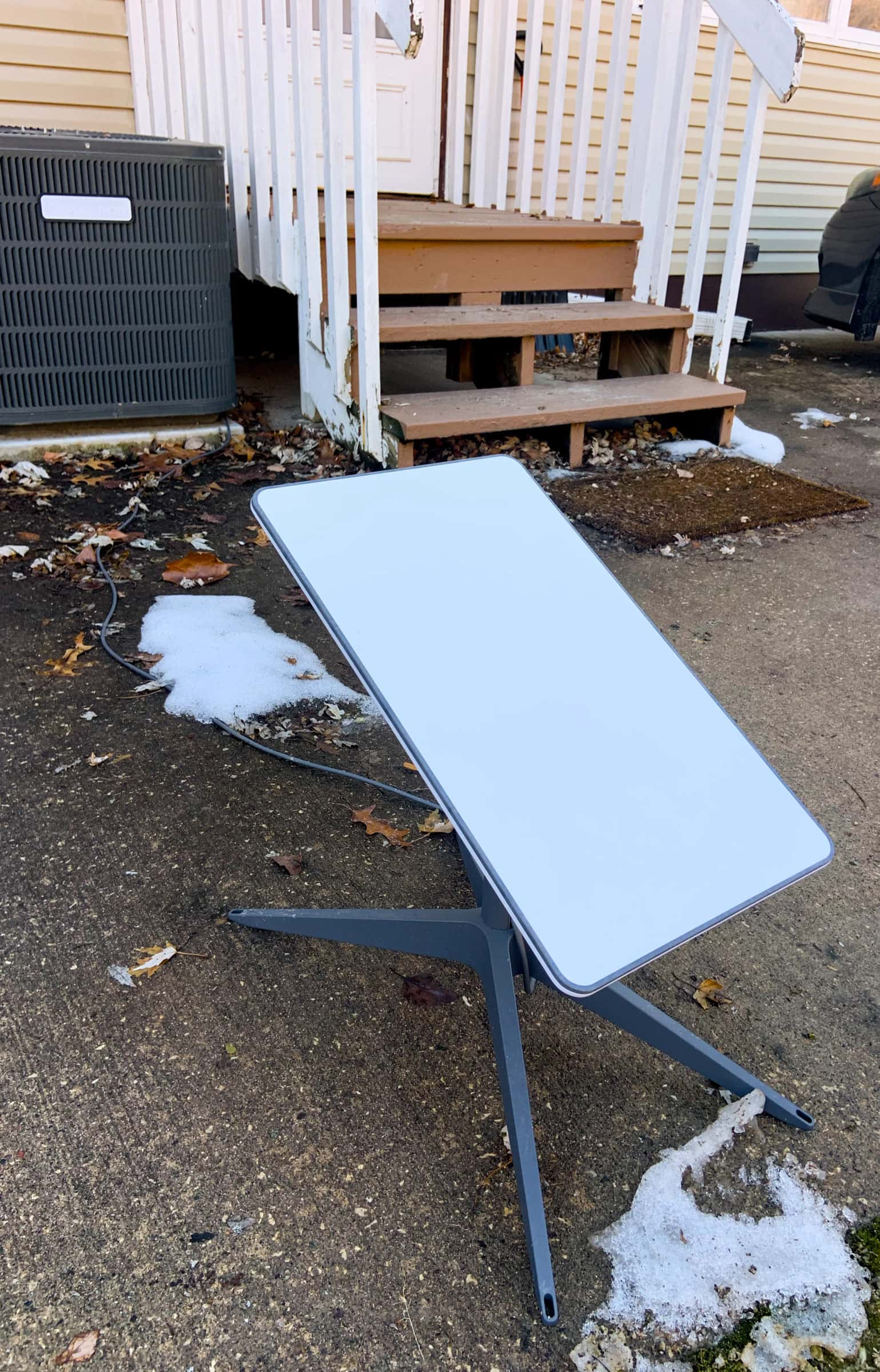
The cable is the part most renters forget. A new hole through the wall is an alteration, so ask first. Don’t run the cable through a door or a window that closes on it. More no-drill options · Getting the cable inside.
Lease clauses, decoded
Our plain reading of the clauses tenants ask about most. Your state’s landlord-tenant law can change the answer.
- “No satellite dishes.” On your own yard or patio, a blanket ban like this is the kind of lease provision the FCC rule limits for a covered dish. On the roof or walls, it stands unless the lease gives you those.
- “No alterations without consent.” Covers holes in the building. A no-drill setup avoids it; a cable hole needs consent.
- “Tenant restores the premises.” You pay to patch and seal any holes when you leave. Starlink’s Terms say: “Should use of the Services require any construction or alteration to your property, Starlink is not obliged to reimburse any expenses or restore your property to the same physical state as prior to delivery of Services.”
- “Common areas are for shared use.” A shared drive, shared lawn or shared roof is outside the rule. Pick a spot that is yours alone.
What to do, step by step
Step 1: Read your lease for three things
Look for any clause on antennas or satellite dishes, any clause on alterations or holes, and what the lease says is yours: the yard, the patio, a deck, the garage.
Step 2: Scan the yard and patio first
Open the Starlink app and scan from each spot in your own outdoor space, at the height the dish would sit. Starlink says the app has a built-in tool to preview the install location and guide you to the spot with the fewest obstructions. Screenshot each result.
Step 3: Choose a spot that needs no holes
A spot in your yard or on your patio, on the kickstand or a stand, keeps the landlord’s building untouched. That’s the easiest yes you’ll get.
Step 4: Plan the cable route
Measure from the spot to the indoor outlet where the router will sit. The kit’s cable is 15 m (49.2 ft). Starlink says the cable is not rated to be buried or under water; keep it free of kinks, debris and door jambs, so don’t shut it in a door or window.
Step 5: Write to your landlord
Say what you’re installing, where, that it needs no holes (or exactly which one hole you’d like, and who will seal it), and that you’ll remove it when you move. Attach the scan screenshots and keep a copy.
Step 6: Get the roof or walls in writing
If only the roof or a wall bracket scans clear, ask for written permission first. Unless your lease gives you the roof or outside walls, they are the landlord’s to say yes or no to.
Step 7: Ask why, in writing, if they refuse your yard
If the landlord refuses a no-drill dish in your own yard or patio, ask which lease clause and what safety reason they rely on. The FCC rule puts the burden of proof on them. Get legal advice before you go further.
What a landlord can and can’t do
| If your landlord… | Our reading of the rule |
|---|---|
| bans a no-drill dish in your own fenced yard | Can’t for a covered dish on space you rent and use alone |
| says no to a dish on the roof | Can unless your lease gives you the roof |
| says no to new holes in the walls | Can the outside walls usually aren’t part of what you lease |
| asks for a spot in the yard that is shaded by trees | Can’t insist a restriction can’t preclude an acceptable signal |
| sets a written safety rule, such as distance from power lines | Can if clearly defined and no more burdensome than necessary |
| wants it on the shared lawn of a duplex, or not at all | Shared area the rule doesn’t reach it; ask for a spot that’s yours |
| asks you to remove it and patch holes when you leave | Can plan for it from day one |
When you move out
- Take the dish, the mount and the cable. The kit is yours if you bought it.
- Patch and seal any hole you made, the way your lease asks.
- Update your Starlink service address before you use it at the new home. Starlink says Residential service is for use at the registered service address; it does not support roaming, and that changing the service address turns off service at the old address, and returning may not be possible.
If you’re the landlord
Starlink’s Terms make the customer responsible for landlord approvals, so expect tenants to ask. Our reading of the FCC rule: you can’t ban a covered dish on outdoor space a tenant rents and uses alone, but you can keep it off a roof and walls you didn’t lease, and set clearly defined safety rules. Put a short policy in writing: where dishes may go, no new holes without consent, removal at move-out.
General information, not legal advice
This page explains a federal rule in plain words, quoting the eCFR and the Federal Register as read on Nov 3, 2026. We couldn’t read the FCC’s own consumer guide that day. State and local landlord-tenant laws and your lease matter too. Don’t withhold rent or break a lease term over a dish without advice from a lawyer or a local tenant-rights group.
Don’t order yet if…
- your lease ends within a few months, or you expect to move soon: wait and order at the home where you’ll stay
- the only spot that scans clear is the roof or a wall, and your landlord hasn’t said yes in writing
- you share the yard with other tenants and no outdoor spot is yours alone
- every spot you can use scans with big blocked areas in the Starlink app
Questions this page answers
Does my landlord have to allow Starlink?
On outdoor space you rent and use alone, such as your yard or patio, the FCC’s OTARD rule generally stops a landlord from banning a covered dish, and by our reading a Starlink home dish is covered. The roof and outside walls are different: they’re only covered if your lease gives them to you. General information, not legal advice.
Can I install Starlink without drilling?
Yes. The dish can sit on its kickstand or a ground base in your yard or on your patio, with the cable run inside without a new hole if a safe route exists. No-drill options.
Can I put Starlink on the roof of a house I rent?
Only with the landlord’s written permission, unless your lease gives you the roof. The FCC rule covers the outdoor space you rent; in its 1998 order the FCC described a tenant’s leased area as not including the roof or exterior walls of an apartment building. Ask first.
Do I need my landlord’s permission for Starlink?
Starlink’s Terms put landlord approvals on you. For a no-drill dish in your own yard, the FCC rule limits what the landlord can block; for anything on the building itself, get a yes in writing. Either way, a short note avoids most disputes.
What happens to my Starlink when I move out?
Take the dish and mount with you and patch any holes as your lease requires. Starlink Residential service is tied to the registered service address, and Starlink says changing the service address turns off service at the old address, and returning may not be possible. More quick answers.
Is “renting Starlink” the same thing?
No. Starlink also offers its kit as a rental at checkout; a rented kit remains Starlink’s property, and ownership doesn’t pass to you. That’s about the equipment. This page is about renting your home.
What we checked this page against
- 47 CFR §1.4000, the OTARD rule text (eCFR) · seen Nov 3, 2026
- FCC 98-273: OTARD extended to renters (1998) · seen Nov 3, 2026
- FCC 2001 order: OTARD extended to fixed wireless · seen Nov 3, 2026
- Whether you need a mount (support article) · seen Nov 3, 2026
- Starlink shop, public accessory prices · seen Nov 3, 2026
- Standard accessories guide, PDF · seen Nov 3, 2026
- V5 setup guide (support article) · seen Nov 3, 2026
- Cable length and indoor routing (support article) · seen Nov 3, 2026
- Aligning the dish (support article) · seen Nov 3, 2026
- Beam switching around obstructions (Starlink update, Jul 30, 2025) · seen Nov 3, 2026
- US terms of service · seen Nov 3, 2026
- Residential plan overview (support article) · seen Nov 3, 2026
- Changing the service address (support article) · seen Nov 3, 2026
Each number on this page traces back to one of these entries; our fact rules explain how. If a reading has drifted, the corrections log shows how it gets fixed.