Pre-order checklist · US houses
Is your house ready for Starlink? Check this before you order
Four survey checks for the house, what arrives in the box, how the order on starlink.com goes, and how Starlink’s referral credit for first-time US customers is paid.
A house is ready when the dish has open sky, a spot to mount, a safe install plan and permission. Then you order on starlink.com with the service address.
Kit and plan are both bought on starlink.com, where your address sets the price. Starlink.com refunds a kit in full, first month’s fee included, if it’s returned undamaged inside the 30 days that follow the Payment Due Date, and that covers a dish whose sky turns out blocked, so a bad spot isn’t a dead end. Nothing needs typing in at checkout; the referral credit ($100) reaches the account once your service is two months old.
Is your house ready for Starlink?
Probably, if it passes four checks in this order: open sky above the trees from the dish spot, a place and a mount for the dish, a safe way to install it, and permission from any HOA, landlord or condo board. Starlink’s own pages, read Nov 3, 2026, say its app can preview an install spot before you own a dish. Most returns start with a sky problem nobody checked; ten minutes in the yard prevents that.
Open sky
Fit check first, then a sky scan in the Starlink app from the exact spot.
Check it02A spot and a mount
Roof, wall, pole or ground, and whether the kickstand alone will do.
Check it03An install plan
An afternoon of DIY, or a professional install added at checkout.
Check it04Permission
HOA, landlord or condo board answered, in writing.
Check itWhat arrives in the box
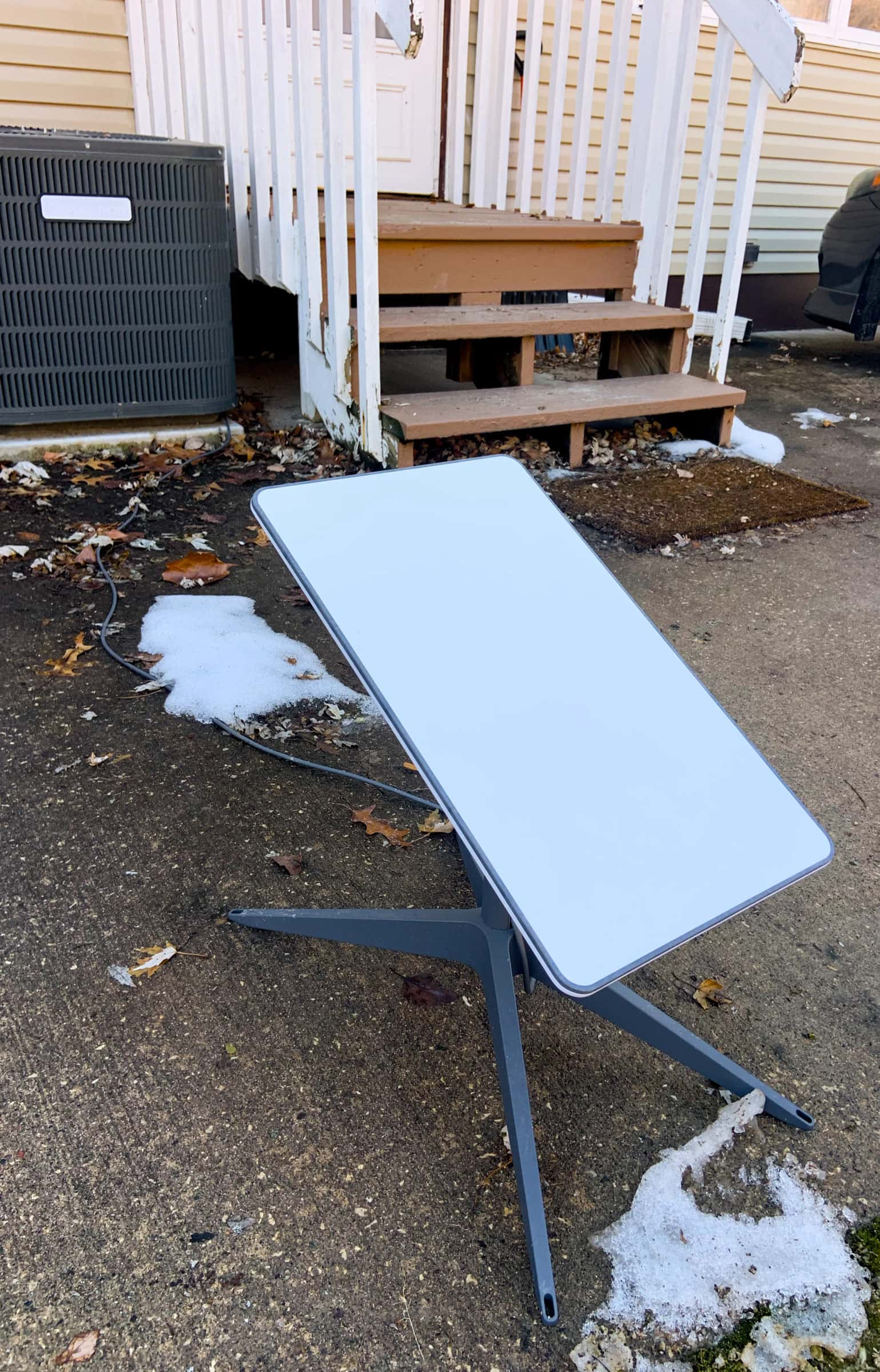
A Starlink home order has two parts: a kit (dish, router and cables) and a monthly plan. Starlink’s no-address US Residential list carried three home dishes when we checked it on Nov 3, 2026, at $349 each to buy or as a rental: Standard 4 X (ships with Router 3), plus Standard 4 and Starlink V5 (each ships with Router Mini).
| Part | What Starlink says |
|---|---|
| In the Standard 4 X box | Standard 4 X box: Starlink, kickstand, Router 3, 15 m (49.2 ft) Starlink cable, 1.5 m AC cable, power supply (1.5 m) |
| Mount in the box | Mount in the box: V5 = kickstand and pipe adapter; V4 (Standard 4 X) = kickstand |
| Cable | every current home kit (Standard 4 X, V5 or Standard 4) includes a 15 m (49.2 ft) Starlink cable |
| Professional install | Starlink’s front page advertises professional home installation at no charge for Residential customers on the Max or 200 Mbps tier |
| Rental instead of buying | Rental kits are for Residential plans only; one rental kit per account |
| Your price | Starlink says the price for a house shows after you enter its address at starlink.com and hit “Order Now” |
Need a pole, wall or roof mount too? What you need, and what to buy and what installation costs.
Placing the order
Step 1: Scan the spot with the app
Open the free Starlink app at the spot where the dish would go. Starlink says it has a built-in tool to preview the install location and guide you to the spot with the fewest obstructions. Our fit check tells you what to look for.
Step 2: Open starlink.com and type the service address
Starlink says the price for a house shows after you enter its address at starlink.com and hit “Order Now”. Use the address of the house getting the dish. Planning to use a referral link? Open starlink.com through it first, in the browser you’ll pay in.
Step 3: Choose the plan and the kit
The plans, kits and prices on screen are the ones for that address. Starlink says what it sells to a Residential customer, and for how much, changes with location and account type. The kits on the list when we read it are under What arrives in the box.
Step 4: Add a professional install if you want one
Starlink’s front page advertises professional home installation at no charge for Residential customers on the Max or 200 Mbps tier. Its order list also shows $0 (rental with professional installation), a +$99 installation add-on, $199 (rental with professional installation) and $349 (Standard 4 X bought with professional installation). US customers who already ordered Starlink can add an installation order from their account. What a pro install includes.
Step 5: Read the summary, then pay
Go through every line of the summary screen before paying: some high-demand areas carry a one-time demand surcharge when you buy the kit or start service, depending on address and plan.
Step 6: Mount it, then keep the box for 30 days
Mount the dish where your scan was clear, run the cable and plug in the router (install guide). Starlink.com refunds a kit in full, first month’s fee included, if it’s returned undamaged inside the 30 days that follow the Payment Due Date.
Do codes or area offers change the price?
Starlink’s national US order list carried no promotional service price when read without an address on Nov 4, 2026. Starlink says some areas give new customers a discounted monthly rate for a limited stretch (6 or 12 months, for example), visible at checkout on starlink.com, and area pricing is limited to new customers and one service line, with no commitment. So an area offer, if your house has one, only shows up on the order page for that address.
There’s nothing to paste in. In our reading of Starlink’s order pages, promotion codes reach the order page only through special ?promoCode= links, and Starlink’s error messages tie some of them to the email that got the offer; there’s nowhere to type one.
Skip “discount code” sites
With no box to paste a code into, a page selling one can’t deliver anything. If a site asks for your Starlink login or payment details, close it. Order only on starlink.com.
The $100 referral credit, briefly
Starlink says the new customer and the person whose link they used each get the same reward. Here is the path its terms and support pages describe:
- Day 0Order through the link
Starlink’s rule: both the kit and the subscription are bought on starlink.com itself; kits from stores, unauthorized resellers or private sales are excluded.
- DeliverySet up and go online
Mount the dish, run the cable, plug in the router and follow the Starlink app’s setup steps.
- 2 billing cyclesStay subscribed
Starlink’s rule: the account stays active and paid up for two back-to-back billing months.
- $100Credit on your account
Account credit by default, which Starlink takes off your next bill.
- Who: you’ve never had a Starlink subscription before, and the house you’re ordering for is in the US, the same country as the referrer’s.
- Where: both the kit and the subscription are bought on starlink.com itself; kits from stores, unauthorized resellers or private sales are excluded.
- Plans: Residential Max, 200 Mbps or 100 Mbps; Roam Unlimited, 300GB or 100GB; and the legacy Residential and Residential Lite plans.
- How long: the account stays active and paid up for two back-to-back billing months. Starlink expects real, ongoing use and checks how long referred customers stay against the US average.
- Paid as: account credit by default, which Starlink takes off your next bill.
Keeping the referral attached
Step 1: Keep the whole order in one tab
In our Nov 3, 2026 look at starlink.com’s page code, the referral sat only in the browser tab that the link had opened, and closing that tab lost it. This is our observation, not a published Starlink rule. To be safe, do the whole order in that one tab. Some Starlink help articles carry another customer’s referral code in their starlink.com links, and following one from that same tab overwrites the referral you arrived with, so open help pages in a separate tab.
Step 2: Look for the green panel before paying
Once the referral is attached, the order page displays a green “Referral Code Applied” beside Checkout (under the button on a desktop, over it on a phone). “Referral Code Not Applied” in amber means Starlink won’t honor the referral on this order, say an invalid code or an excluded order type; you can still check out, but no reward follows.
Step 3: Buy both pieces from starlink.com
Both the kit and the subscription are bought on starlink.com itself; kits from stores, unauthorized resellers or private sales are excluded. A store or reseller kit won’t carry the reward, even if you activate it later.
Step 4: Use your first-ever Starlink account
Starlink’s rule: you’ve never had a Starlink subscription before.
Step 5: Keep the service for two billing cycles
The account stays active and paid up for two back-to-back billing months. Then the credit arrives: account credit by default, which Starlink takes off your next bill.
General information
This page puts Starlink’s published rules in plain words; Starlink’s own terms decide every case. The Terms make you responsible for building codes, zoning, HOA/association rules, lease terms and landlord approvals, and for any permits and fees.
Don’t order yet if…
- the sky scan in the Starlink app shows big blocked areas you can’t get above (a higher mount or pole is the fix; see the calculator)
- your landlord, HOA or building hasn’t confirmed where the dish can go, and you have no private outdoor space you control
- the house needs a connection for a few months, one visit or one trip, not year-round
- fiber or cable is actually being built to your street in the next year and you’d switch to it
Questions this page answers
Can I type a code at checkout to lower the price?
No. The order flow we read offered nowhere to enter a referral code later, and an area offer, if a house has one, shows up only when you order on starlink.com with that address. A referral link works differently: you open starlink.com through it, and the credit comes later on the account.
How can I tell the referral link took?
Once the referral is attached, the order page displays a green “Referral Code Applied” beside Checkout (under the button on a desktop, over it on a phone) (our reading of the order page). If the panel reads “Referral Code Not Applied”, the order still completes, just without the reward.
What is the Starlink referral credit worth in the US?
$100, Starlink says, and the customer whose link you used gets a reward equal to the new customer’s. It arrives once your service is two months old, as account credit by default, which Starlink takes off your next bill.
Who can get the referral credit?
Starlink’s conditions: you’ve never had a Starlink subscription before; the house you’re ordering for is in the US, the same country as the referrer’s; both the kit and the subscription are bought on starlink.com itself; kits from stores, unauthorized resellers or private sales are excluded; and the account stays active and paid up for two back-to-back billing months.
Does a kit from a store count?
Not for the referral: both the kit and the subscription are bought on starlink.com itself; kits from stores, unauthorized resellers or private sales are excluded. Returns differ too: a kit from a shop goes back to that shop, under its rules.
What if Starlink won’t work at my house after it arrives?
Starlink.com refunds a kit in full, first month’s fee included, if it’s returned undamaged inside the 30 days that follow the Payment Due Date, and the 30-day return explicitly includes a dish that can’t get service because its view of the sky is blocked. Shipping isn’t refunded: Starlink keeps the shipping and handling charge even when a kit comes back. Survey the sky first with the fit check so it never gets that far.
Can I add professional installation to the order?
Starlink’s front page advertises professional home installation at no charge for Residential customers on the Max or 200 Mbps tier. You can use Starlink before the installation appointment. Professional installation explained.
Does the referral link change the checkout price?
The price on starlink.com is the one for your address. We can’t see it or change it; the referral credit shows up afterwards on the account, not as a lower price at checkout.
What we checked this page against
- Where Starlink shows your price (support article) · seen Nov 3, 2026
- Residential plan overview (support article) · seen Nov 3, 2026
- Residential order list data, no address · seen Nov 3, 2026
- Standard 4 X setup guide (support article) · seen Nov 3, 2026
- Third-party mounts (support article) · seen Nov 3, 2026
- Cable length and indoor routing (support article) · seen Nov 3, 2026
- starlink.com front page, US, no address · seen Nov 3, 2026
- Starlink installers (support article) · seen Nov 3, 2026
- US terms of service · seen Nov 3, 2026
- Returning the kit (support article) · seen Nov 3, 2026
- Demand surcharge (support article) · seen Nov 3, 2026
- Renting the kit (support article) · seen Nov 3, 2026
- Referral program basics (support article) · seen Nov 3, 2026
- Starlink referral program terms for the US (legal doc DOC-1882-84808-83) · seen Nov 3, 2026
- Beam switching around obstructions (Starlink update, Jul 30, 2025) · seen Nov 3, 2026
- Our reading of starlink.com’s order flow and page code (no order placed) · seen Nov 3, 2026
- Area promotional pricing terms (support article) · seen Nov 3, 2026
- Residential order list data, no address, Nov 4 read · seen Nov 4, 2026
Each number on this page traces back to one of these entries; our fact rules explain how. If a reading has drifted, the corrections log shows how it gets fixed.