Am I allowed? · Apartments & condos
Starlink in an apartment or condo: will your balcony work?
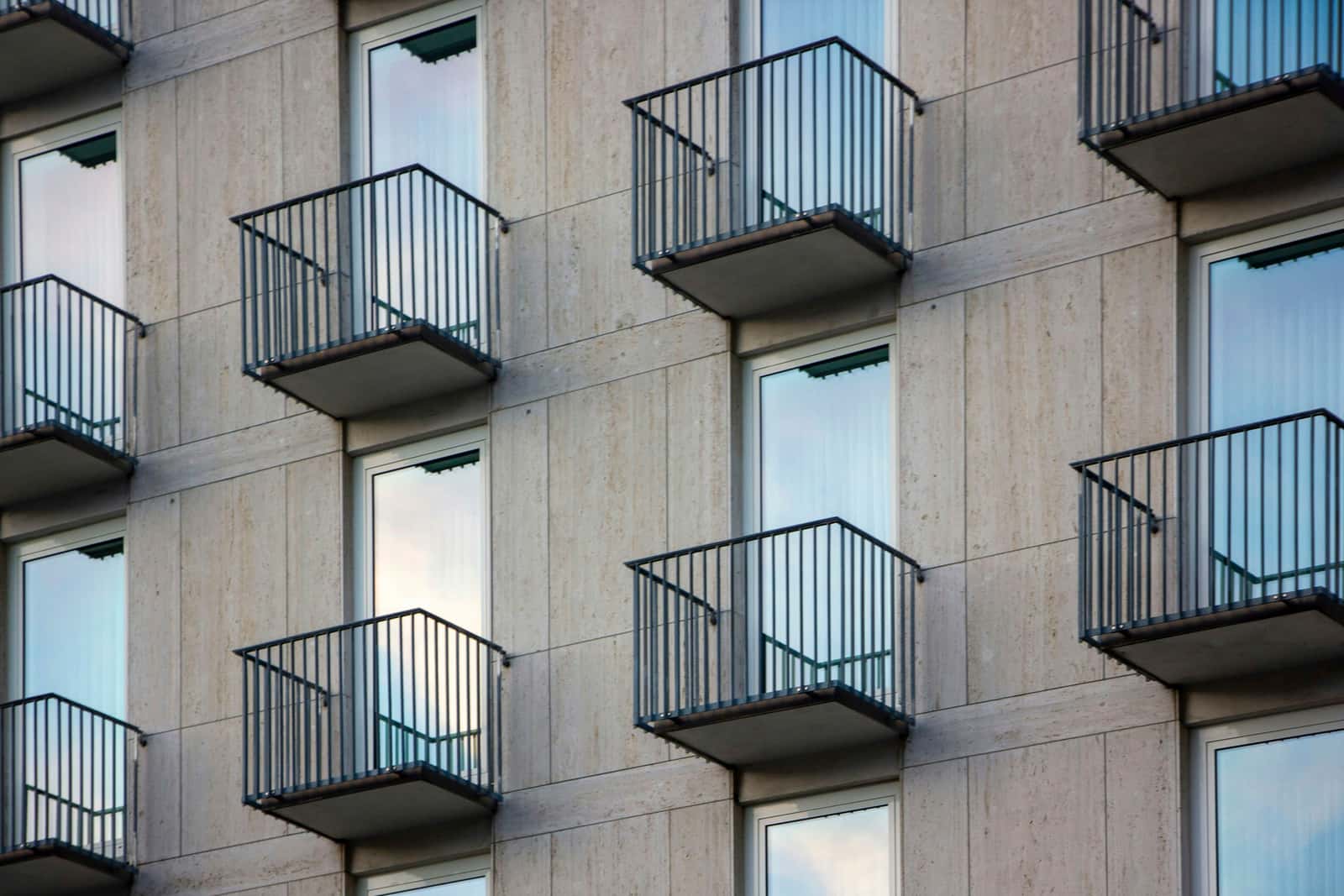
Two questions decide it: does your balcony see enough open sky, and can you keep a dish there? The sky question is the one that usually says no, so check it first.
$100First Starlink? The pre-order checklist and our referral linkIt can, if your balcony, terrace or patio sees a wide stretch of open sky. The FCC rule covers a balcony you rent or own for your own use, but not the building’s roof or outside walls.
Sky is the usual deal-breaker. A balcony tucked under another one, facing a building across the street, often sees too little. Starlink names no compass direction your balcony must face; the Starlink app’s scan decides. That the FCC rule covers a Starlink dish is our reading of its wording. General information, not legal advice.
Check your balcony’s sky first
Starlink’s satellites move across the whole sky, so the dish needs a wide view, not a line to one point. Starlink lists a 110° field of view for its current home dishes, and says the dish does best with open sky and can often get by with part of it. On a balcony, “partial” can shrink fast:
- Your own wall hides the half of the sky behind the building. That part you can’t fix.
- The balcony above hides the sky overhead. Starlink’s placement advice: “Do not install under a covered outdoor area.”
- A solid railing blocks low sky if the dish sits on the floor behind it.
- The building across blocks low sky in front. The closer and taller it is, the more it takes.
The two drawings show the same building with our own example numbers. The first is a dish on the floor of a middle-floor balcony. The second is the dish clamped high on the railing of a top-floor balcony.
Starlink says an obstruction that stays in view can still cause intermittent outages, dropped packets and lower speeds. Which way the balcony faces matters only through how much open sky it leaves: Starlink names no better compass direction for today’s home dishes, and you aim the dish by hand with the app’s alignment tool.
How to check it, step by step
Step 1: Look up from the railing
Stand at the outer edge of your balcony and look up and out. Note what fills the sky: the balcony above, your own building’s wall, the building across the street, trees. If you mostly see concrete, expect a poor result.
Step 2: Open the Starlink app’s scan
Starlink says the app has a built-in tool to preview the install location and guide you to the spot with the fewest obstructions. Its install guides say to run that tool before you mount anything, so you know the spot sees open sky.
Step 3: Scan where the dish would really sit
Hold the phone at the railing top and out past the edge as far as you safely can, then on the floor where a kickstand would stand. The two results are often very different.
Step 4: Screenshot and compare
Save each result. A corner balcony, a top-floor terrace or a ground-floor patio with open sky usually beats a recessed balcony under another one.
Step 5: Decide on what the scan shows
If every spot shows big blocked areas, a home dish won’t work well there. Ask the building about a spot with open sky, or look at other internet options.
Upper floors and corners win
A top-floor balcony has nothing overhead. A corner balcony sees around two sides of the building. A ground-floor patio with an open lawn in front can beat both. If you’re choosing a unit, scan from each balcony on the tour.
What the rules say about balconies
The FCC’s OTARD rule (47 CFR 1.4000) limits restrictions on a small dish placed on property “within the exclusive use or control” of the person using it. For apartments and condos, the FCC’s 1998 order spells out what that means:
FCC Second Report and Order, 1998
Renters: “Typically, for apartments, this new ruling will include balconies, balcony railings, and terraces; for rented single family homes or manufactured homes which sit on rented property, it will typically include patios, yards or gardens within the leasehold.”
Condo owners: “The Section 207 rules already cover condominium balconies, decks, patios and similar areas over which the condominium unit owner exercises exclusive use and has a direct or indirect property interest even if he or she does not own 100% of that area.”
Common areas: “This Order also concludes that antenna restrictions that apply to common or restricted access areas are beyond the scope of the statutory authority for this rule, and that the rule, therefore, cannot apply to antenna restrictions on common or restricted access.”
Apartment or condo
Your own balcony or terrace: covered. Roof, hallways and lawn: shared, so the building decides.
Two edges matter. First, the roof: the FCC’s example of a restricted-access area the rule doesn’t reach is “areas of a building to which viewers generally do not have access or possession, such as the rooftop, on which Section 207 reception equipment would be placed”. Second, the outside walls. In its 1998 analysis the FCC described what a tenant leases as “the apartment but not the roof or exterior walls”. Our reading: drilling the building’s outside wall, even next to your balcony, needs written permission.
In a condo, your declaration may call the balcony a “limited common element”. That’s fine: the order’s wording above covers areas you use alone even when you don’t own all of them. The full rule, quoted.
Mounting on a balcony without drilling
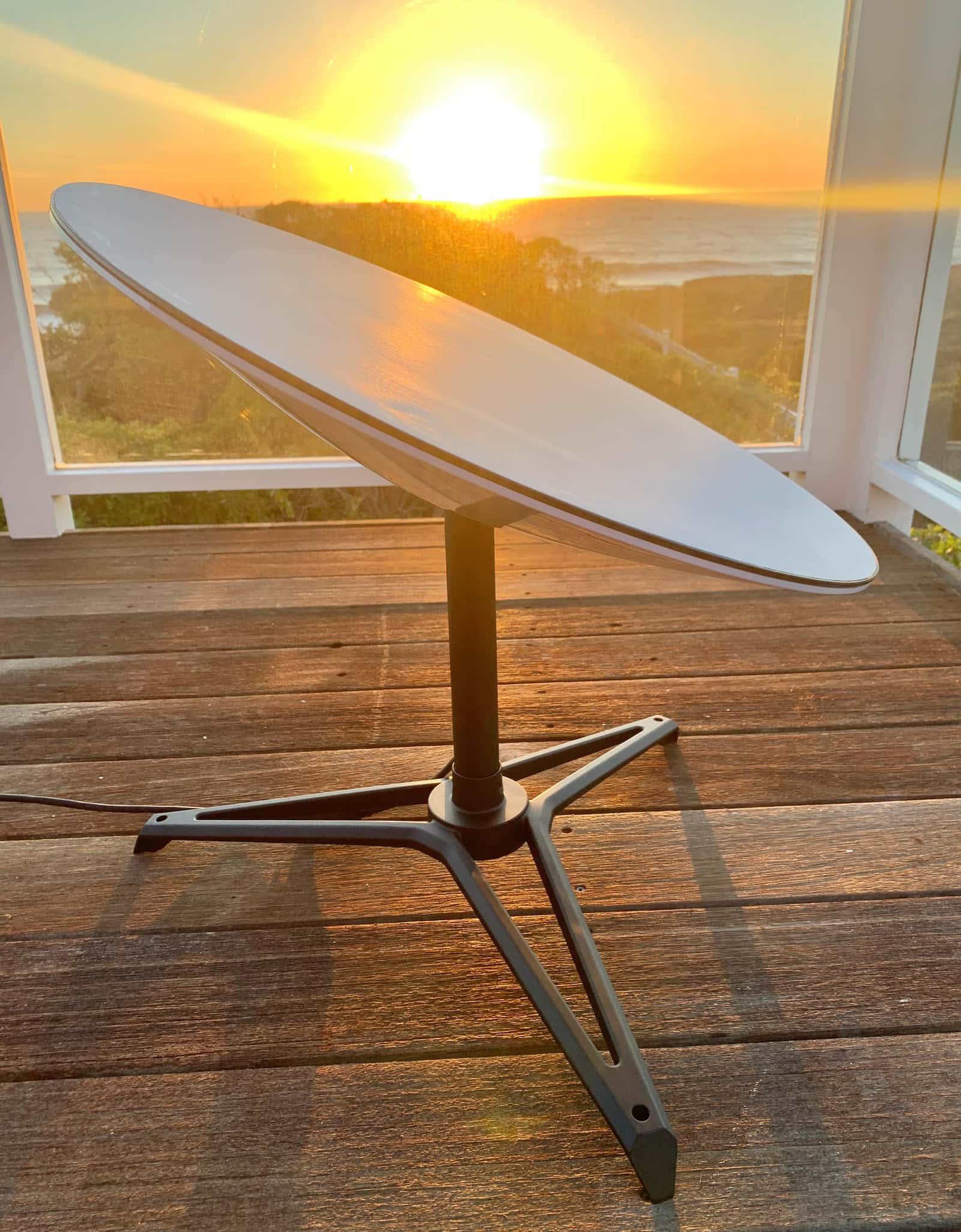
- Kickstand on the floor. Simplest, but usually the worst sky: under the balcony above and behind the railing.
- Railing clamp or pole. Raises the dish above the railing and out from the wall. Starlink allows third-party mounts, but says metal mounts that wrap the dish’s base, or setting the dish on metal, may hurt GPS. A short metal pole clamped to the railing can take Starlink’s pipe adapter: it fits poles 31–63.5 mm (1.25–2.5 in) across; metal pipes only, not PVC or plastic; pipe not included.
- Weight and wind. Starlink lists the Standard 4 X dish at 2.9 kg (6.4 lb) and the V5 dish at 1.1 kg (2.4 lb), and rates the Standard 4 X as operational in winds of 60 mph+.
Nothing may fall
A dish or clamp that comes loose falls on people below. Fix it so it can’t slip or tip, and add a safety tether to the railing (our rule of thumb). A building can enforce a clearly defined safety rule here. Starlink’s Terms say: “If you cannot safely install the Starlink Kit, do not install it and seek professional assistance.”
Getting the cable inside
Starlink says the cable is not rated to be buried or under water; keep it free of kinks, debris and door jambs. So don’t run it under a sliding door that closes on it. A new hole through the outside wall is the building’s call. Ask management for an approved route, such as an existing cable entry, and get the answer in writing. More on cable routes.
Can and can’t in a building
| If the building… | Our reading of the rule |
|---|---|
| bans a dish on the balcony you rent or own | Can’t for a covered dish in your exclusive-use area |
| requires it to be secured against falling | Can a clearly defined safety rule |
| says no to the roof | Can the roof is a common or restricted-access area |
| says no to holes in the outside wall | Can outside walls usually aren’t part of a tenant’s lease |
| wants it hidden where the app shows the sky blocked | Can’t insist a restriction can’t preclude an acceptable signal |
Asking your landlord or condo board
- Read your lease or condo declaration for antenna, balcony and alteration clauses.
- Send a short notice: a dish on your balcony, how it’s secured, no holes, the cable route, the scan screenshots.
- Get anything outside your unit in writing: the roof, a wall bracket, a cable hole.
- If they refuse your own balcony, ask in writing which rule and what safety reason. Starlink’s Terms make approvals your job, so keep every reply.
General information, not legal advice
This page explains a federal rule in plain words, quoting the eCFR and the Federal Register as read on Nov 3, 2026. We couldn’t read the FCC’s own consumer guide that day. Your lease, your condo declaration and state law matter too. Talk to a lawyer or a local tenant-rights group before refusing a building’s demand.
Don’t order yet if…
- your balcony sits under another one and faces a building close across the street, and the app scan shows most of the sky blocked
- the only spot with open sky is the roof or an outside wall, and the building hasn’t said yes in writing
- you can’t fix the dish on the balcony so it can’t fall
- your lease ends within a few months: wait and order where you’ll stay
Questions this page answers
Will Starlink work in my apartment?
Only if the dish can sit outside, usually on a balcony, terrace or patio, with a wide view of open sky. Under another balcony and facing a building across the street, it often won’t. Scan from the railing with the Starlink app before you order.
Does my balcony have to face north?
Starlink doesn’t name a compass direction that matters more for today’s home dishes. What matters is how much open sky the dish can see from your balcony. The app’s scan and its alignment tool decide, not a compass. Which way the dish faces.
Can I put Starlink in my apartment window?
Not a home dish behind the glass. It needs open sky, and windows and walls block or weaken the signal. A dish on the outside of the window frame needs the building’s permission. Windows and indoors.
Can my landlord stop me putting Starlink on my balcony?
Generally not, if the balcony is part of what you rent and only you use it: the FCC’s 1998 order names balconies, balcony railings and terraces. By our reading a Starlink dish is covered. The landlord can still enforce clearly defined safety rules. General information, not legal advice.
Can my condo association stop me installing Starlink?
Not on a balcony, deck or patio you use alone, even if you don’t own 100% of it, according to the FCC’s 1998 order. Shared roofs, hallways and lawns are common elements the rule doesn’t reach, so the association decides there.
Can I put the dish on my building’s roof?
Only with the owner’s or association’s permission. The FCC’s example of a common or restricted-access area the rule doesn’t cover is a building’s rooftop. Ask in writing; some buildings say yes to a neat, secured install.
What we checked this page against
- Standard 4 X spec sheet, PDF · seen Nov 3, 2026
- Checking a spot before you install (support article) · seen Nov 3, 2026
- What obstructions do to service (support article) · seen Nov 3, 2026
- Business install: choosing a location (support article) · seen Nov 3, 2026
- Where to install (support article) · seen Nov 3, 2026
- Beam switching around obstructions (Starlink update, Jul 30, 2025) · seen Nov 3, 2026
- Standard 4 X setup guide, PDF · seen Nov 3, 2026
- Aligning the dish (support article) · seen Nov 3, 2026
- 47 CFR §1.4000, the OTARD rule text (eCFR) · seen Nov 3, 2026
- FCC 98-273: OTARD extended to renters (1998) · seen Nov 3, 2026
- App alert list (support article) · seen Nov 3, 2026
- Standard accessories guide, PDF · seen Nov 3, 2026
- V5 spec sheet with Router Mini, PDF · seen Nov 3, 2026
- Cable length and indoor routing (support article) · seen Nov 3, 2026
- US terms of service · seen Nov 3, 2026
Each number on this page traces back to one of these entries; our fact rules explain how. If a reading has drifted, the corrections log shows how it gets fixed.