Field of view
Which way does Starlink face, and how much sky does it need?
Forget “it has to face north.” Today’s home dishes look at a wide cone of sky, you set the angle once with the app, and trees on any side can matter.
$100First Starlink? The pre-order checklist and our referral linkToday’s home dishes look at a 110° cone of sky, and you set the angle by hand with the Starlink app. Starlink doesn’t say any one compass direction, like north, matters more.
So the sky you need is a wide circle overhead. Our reading: it reaches down to about 35° above the horizon all the way around, and lower on the side the dish ends up facing. Starlink’s business install guide asks for clear sky from about 20° up, all the way around. Check every side, not just one.
What a 110° field of view means
Starlink’s spec sheets list a 110° field of view for the Standard 4 X, the Standard 4 and the V5. Its Standard 4 setup guide puts it simply: the dish does best with open sky, often copes with only part of it, and has a field of view of about 110°.
Think of the dish looking up through an ice cream cone that’s 110° wide. If the dish pointed straight up, the cone’s edge would sit 55° from overhead on every side, which is 35° above the horizon. That’s our reading of the number. But you never point it straight up: you tilt it when you aim it, so the cone dips lower on the side it faces and rises on the side behind.
| Top of the tree or roof, seen from the dish | Fists at arm’s length | What it means |
|---|---|---|
| Under 20° | under 2 | Clear Below Starlink’s business clear-sky line on every side |
| 20°–35° | 2–3.5 | Borderline Can clip the view on the side the dish faces |
| Over 35° | over 3.5 | In the view Blocks sky the dish uses on most sides; the scan decides |
Do you aim the dish? Yes, by hand, with the app
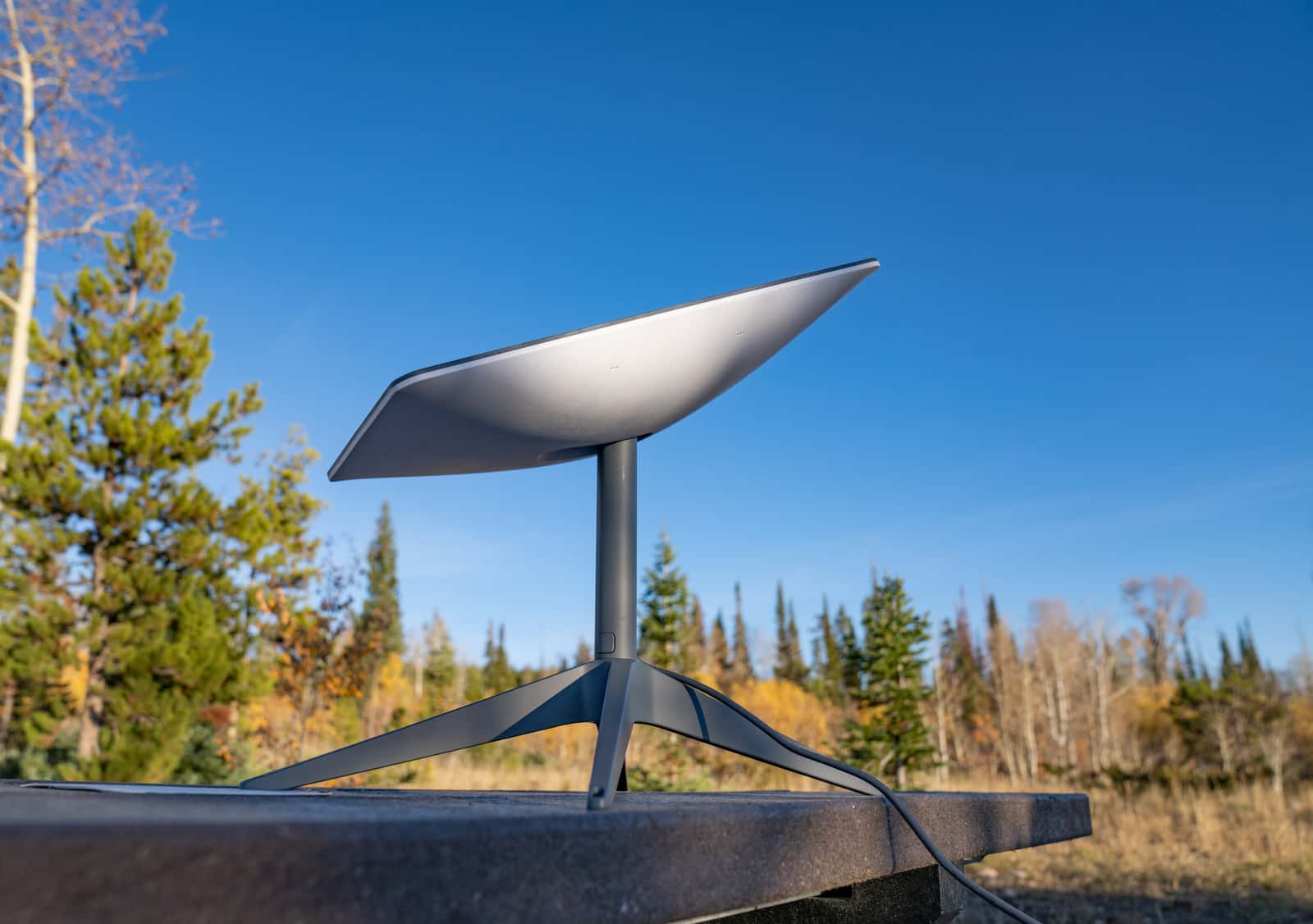
This surprises a lot of people. Starlink’s current home dishes have no motor. Starlink says Standard 4, Standard 4 X, Mini and V5 are aimed by hand with the app’s alignment tool, and its spec sheets list their orientation as “Software Assisted Manual Orienting.”
Starlink describes alignment like this: “Alignment means the dish points toward the part of the sky where it spends the most time communicating with satellites. Your Starlink needs a clear path to as many satellites overhead as possible.” Its steps are short:
- Wait until your Starlink is online.
- Tap Alignment in the Starlink app.
- Follow the prompts on the screen.
The app works out the direction and tilt for your location, so you don’t need a compass bearing in advance. Once it’s set, you leave it: Starlink says the dish tracks satellites electronically without moving. Two things to know:
- The app shows a “Misaligned” alert when the dish is 5° or more out. A mount that sways or sags will trigger it.
- Don’t lay it flat. Starlink says a misaligned or flat dish can pool rain and drop service; keep it tilted on its kickstand or mount.
Because the aim is set by hand, the mount needs room to turn. Plan a spot where the dish can face any direction without hitting a wall or gutter. Mount options.
Does Starlink have to face north?
Not as a rule you can plan around. Starlink’s current US help articles don’t say obstructions in one compass direction (such as north) matter more for the Standard 4 X, Standard 4 or V5. So we don’t tell you to clear only one side, and neither should anyone else.
Where does “face north” come from? Starlink’s older motorized kit, the Standard Actuated, leveled itself, and Starlink says it “makes an initial connection to the Starlink constellation and tilts to the optimum angle for satellite coverage, slightly north or south based on your location in the northern or southern hemisphere.” When we checked, that kit wasn’t among the home dishes Starlink listed for US Residential orders. A lot of forum advice, and the “it faces pretty much due north” posts, date from those self-aiming dishes.
You may also hear that the south doesn’t matter because of the empty band on the app’s obstruction map. Starlink says “The thick, clear band on your obstruction map is the geostationary exclusion zone. This is normal and does not indicate a problem with your map. Starlink does not send or receive through this area, so it does not interfere with geostationary satellites, which remain fixed above the equator.” From the US that band falls in the southern part of the sky (our reading; Starlink doesn’t name a direction). Starlink doesn’t say what that means for trees on the south side, so don’t treat it as permission to ignore them.
Walls, balconies and windows: the half-sky problem
The question people really mean by “will it work facing south?” is usually about a balcony, a wall or a window. Compass direction isn’t the main issue there. The building is. Whatever way the wall faces, it hides half of the sky, from the horizon right up to overhead.
Starlink’s own placement rules say: “Do not place the dish beside a wall or other structure that blocks the sky.” and “Do not install under a covered outdoor area.” A balcony usually breaks both, because the balcony or roof above covers the sky overhead too. What’s left is a slice of sky in front of you. Our reading: that’s often not enough for a steady connection, and only a scan at the spot will tell you. A wall mount is a different case: Starlink says “A wall mount is fine when the dish sits above the wall and the field of view stays clear. Do not place the dish beside a wall or under a cover that blocks the sky.”
- Apartment or condo balcony: balcony, window and building rules.
- Thinking of a window or the attic: why the home dish has to go outside.
- Wall of a house: wall and eave mounts that put the dish above the roofline.
Alaska and the far north
Starlink does not say homes in Alaska or other far-north areas need a clearer or differently aimed view of the sky. In Alaska, as everywhere, the app’s alignment tool sets the aim for your location, and the same 110° view applies. What Starlink does say is that customers in certain remote places, Alaska among them, will see higher latency. Tall spruce and steep terrain are the bigger worry there: see valleys, hillsides and the far north.
Draw your own sky map in five steps
You can see your own field of view on paper before you scan anything. It takes ten minutes and shows you which side, if any, is the problem.
Step 1: Draw a circle on a sheet of paper
Mark N, E, S and W around the edge, like a compass. The edge is the horizon; the center is straight overhead. Draw a second circle in the middle, about six-tenths as wide: that’s roughly the edge of the dish’s view.
Step 2: Stand where the dish would go, at its height
Use your phone’s compass to find north. For a roof install, measure from an upstairs window opened wide (feet on the floor) or a ladder a helper holds.
Step 3: Measure the highest thing on each side
Face each direction in turn and stack fists from the horizon to the top of the tallest tree, roof or ridge. Each fist is about 10°. Shade that patch on your circle, from the edge inward: 2 fists reaches about a fifth of the way in; 3.5 fists reaches the small circle.
Step 4: Look at what crosses the small circle
Anything that pokes into the inner circle sits inside the dish’s view on most sides (our reading); the side the dish tilts away from has a little more margin. Patches near the edge only matter on the side the dish ends up facing. Your app scan decides.
Step 5: Confirm with the Starlink app
Scan the same spot with the app’s obstruction tool. After installing, aim the dish with the app’s alignment tool. How to run the app check.
Have heights and distances instead of fists?
The sky angle calculator turns a tree’s height and distance into the same angle, and tells you how high the dish would need to sit.
Questions this page answers
Does Starlink have to face north?
Not as a rule. Starlink’s current help articles don’t say any compass direction matters more for today’s home dishes (Standard 4 X, V5 and Standard 4). You aim the dish by hand with the app’s alignment tool, which tells you which way for your location. The “face north” advice comes from an older motorized dish.
What is Starlink’s field of view?
Starlink lists a 110° field of view for all three current US home dishes. Our reading: pointed straight up, that cone reaches down to about 35° above the horizon all the way around; tilted, it reaches lower on one side.
Will Starlink work on a south-facing balcony?
Starlink doesn’t say a balcony facing any particular direction is better or worse. The real problem with any balcony is that the building blocks the sky behind you and the floor above covers the sky overhead. Scan it with the app before you decide. Apartments and condos.
What angle should the Starlink dish be at?
There isn’t one angle for every home; the app’s alignment tool sets it for your location. Keep the dish tilted: Starlink says a misaligned or flat dish can pool rain and drop service. The app shows a “Misaligned” alert once the dish is 5° or more off.
Do I have to keep pointing it at satellites?
No. Starlink says “Both Starlinks are electronic phased array antennas. They track the signal from satellites overhead without physically moving. Once Starlink is set up with no obstructions and proper alignment, you do not adjust it again.”
Is the field of view the same on the V5 dish?
Yes. Starlink lists a 110° field of view for the V5, the Standard 4 X and the Standard 4.
What we checked this page against
- Standard 4 X spec sheet, PDF · seen Nov 3, 2026
- Business install: choosing a location (support article) · seen Nov 3, 2026
- Aligning the dish (support article) · seen Nov 3, 2026
- Standard 4 setup guide (support article) · seen Nov 3, 2026
- V5 spec sheet with Router Mini, PDF · seen Nov 3, 2026
- Standard 4 spec sheet, PDF · seen Nov 3, 2026
- Measuring the sky with your hand (EarthSky) · seen Nov 3, 2026
- Mini vs Standard 4 X (support article) · seen Nov 3, 2026
- Standard Actuated setup guide (support article) · seen Nov 3, 2026
- Residential order list data, no address · seen Nov 3, 2026
- Telling kits apart (support article) · seen Nov 3, 2026
- Reading the obstruction map (support article) · seen Nov 3, 2026
- Where to install (support article) · seen Nov 3, 2026
- US specifications, DOC-DF-1915-15313-48 · seen Nov 3, 2026
Each number on this page traces back to one of these entries; our fact rules explain how. If a reading has drifted, the corrections log shows how it gets fixed.